
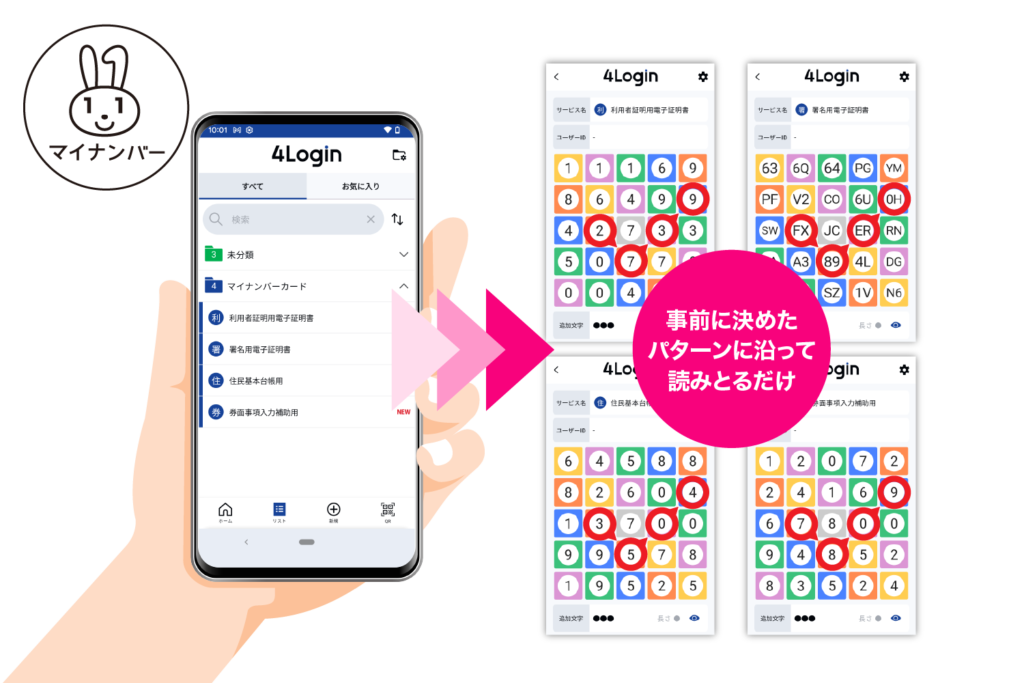
The 4Login app makes it easy to generate the four PINs required when issuing your My Number Card.
For My Number management, four passwords are automatically generated.
The names of the four slots are “For assisting with inputting the next item on the card,” “Electronic certificate for user authentication,” “For the basic resident register,” and “Electronic certificate for signature,” and these are the names of the PINs required when the My Number card is issued.
Each password already has a randomly generated PIN assigned to it.
Please apply for and register these numbers when you receive your My Number Card at the issuance counter.
*These PINs cannot be automatically registered with government agencies.
*You must apply for and register them at the issuance counter when you receive your My Number card. Please note this.
How to register your My Number Card PIN
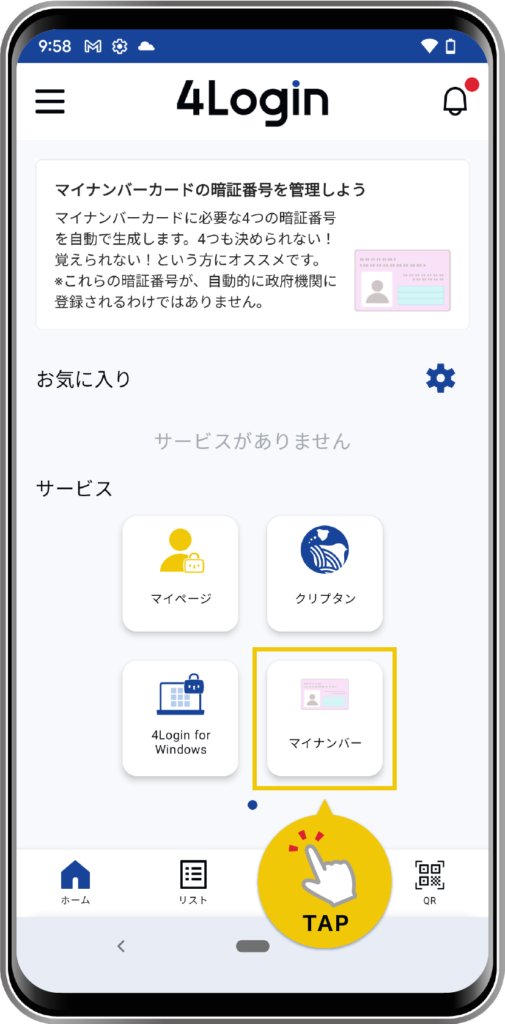
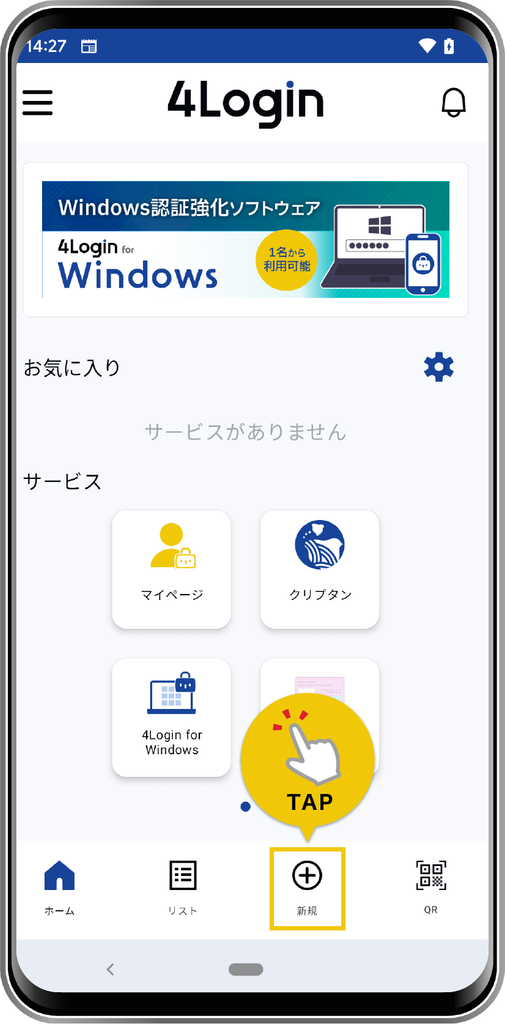
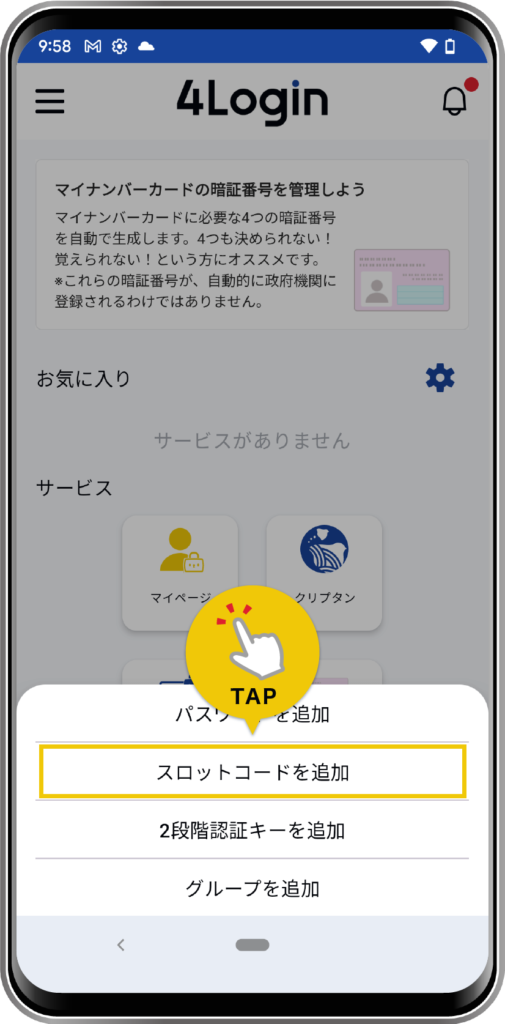
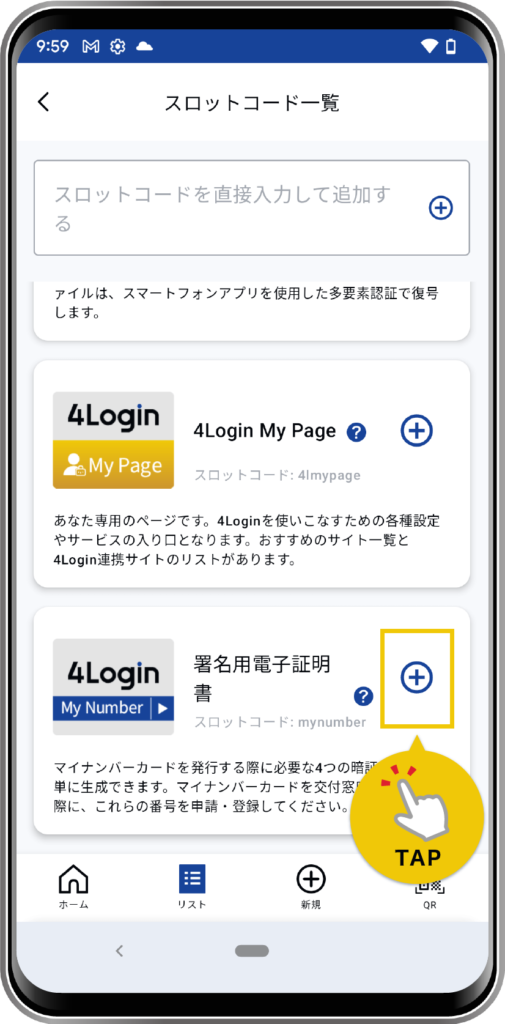
Alternatively, tap the “New” button in the bottom menu, then tap “Add Slot Code” to go to the 4Login code list screen.
Tap “Signature Digital Certificate”.
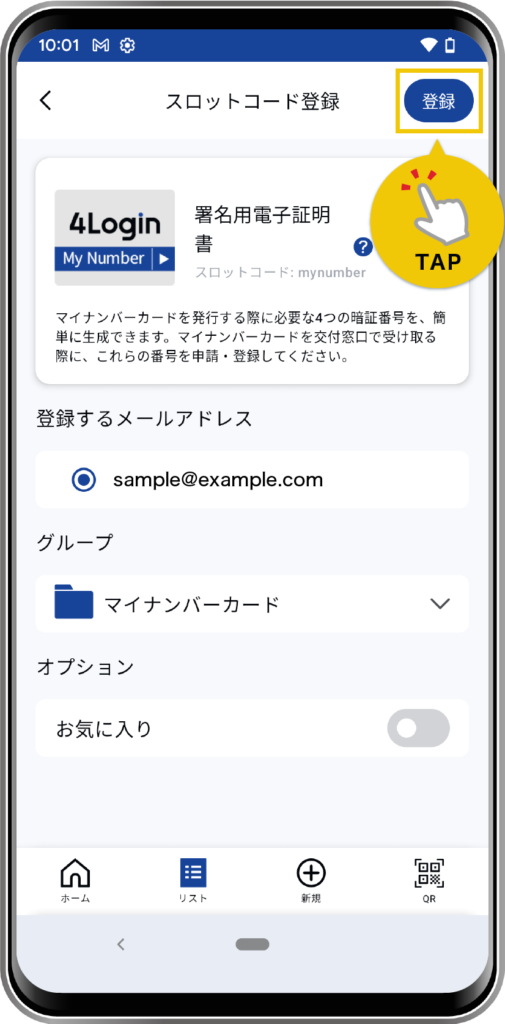
Follow the on-screen instructions to register the required information.
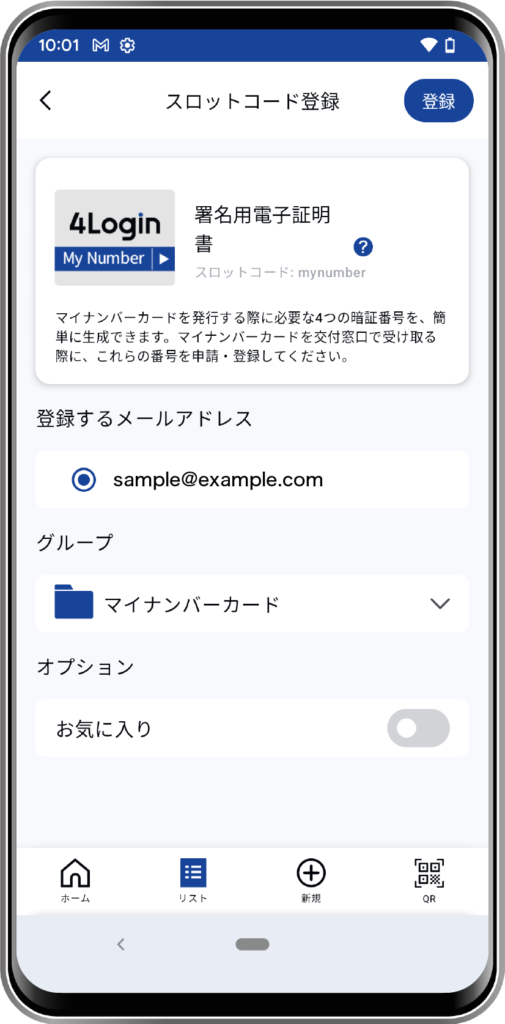
*The default setting for “Group” is “Uncategorized”.
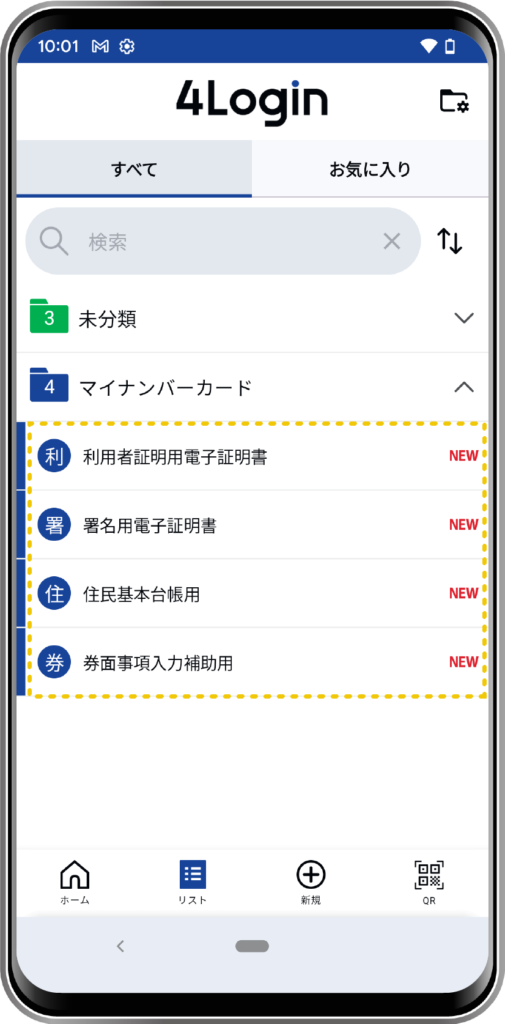
The following will be registered in the list: “For assisting with inputting the next item on the ticket,” “Electronic certificate for user authentication,” “For the Basic Resident Register,” and “Electronic certificate for signature.”
*These PINs cannot be automatically registered with government agencies.
*You must apply for and register them at the issuance counter when you receive your My Number card. Please note this.