The “Restore Key” protects your 4Login app.
When you replace your smartphone or other device with a new one and reinstall the 4Login app, you can transfer your password data.
Normally, data can be transferred by verifying the registered email address and pattern, but setting a restore key requires the additional input of the restore key, thus providing a more secure storage of password data.
However, if you forget your restore key, you will not be able to transfer your password data, so please be sure not to forget it.
Furthermore, if you choose to keep a record of your restore key, it is recommended that you store it in a location other than the device itself, or in a location that can be accessed from other devices, in case you lose your device.
How to set a restore key
STEP
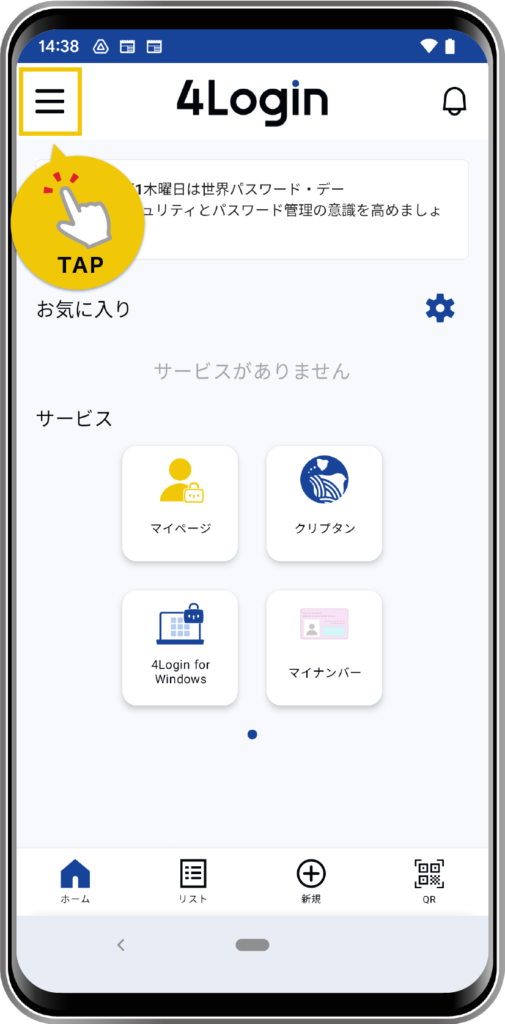
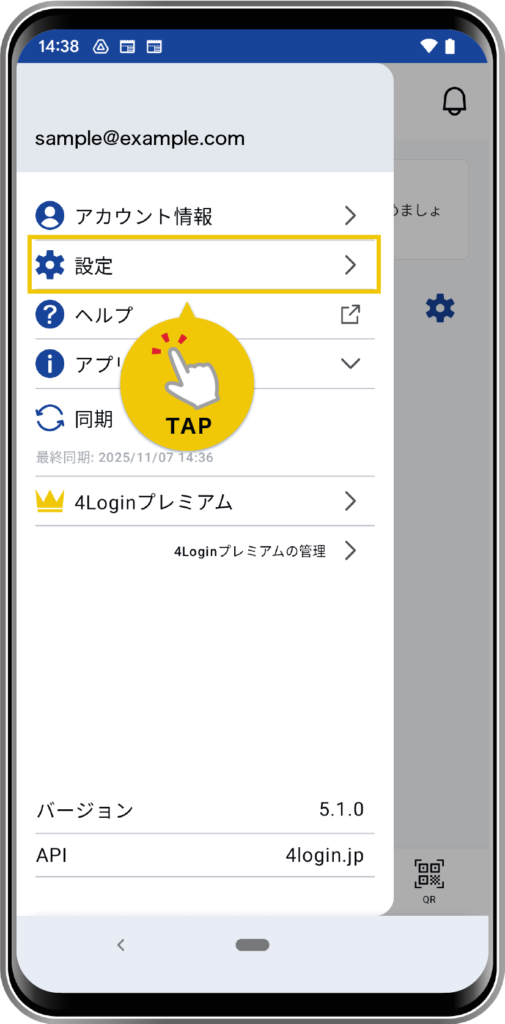
Tap “Settings” from the menu in the upper left corner of the screen.
STEP
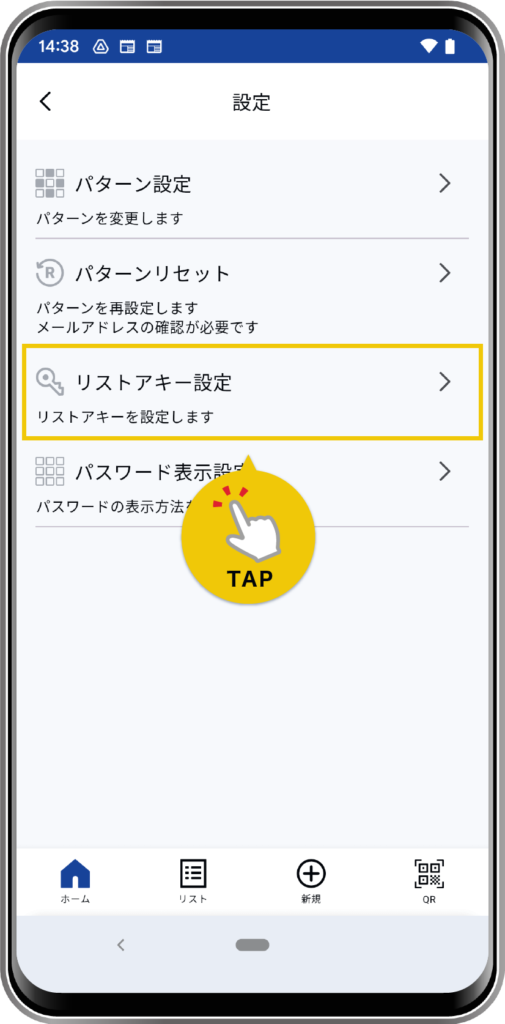
Tap “Restore Key Settings”.
A pattern input is required.
STEP
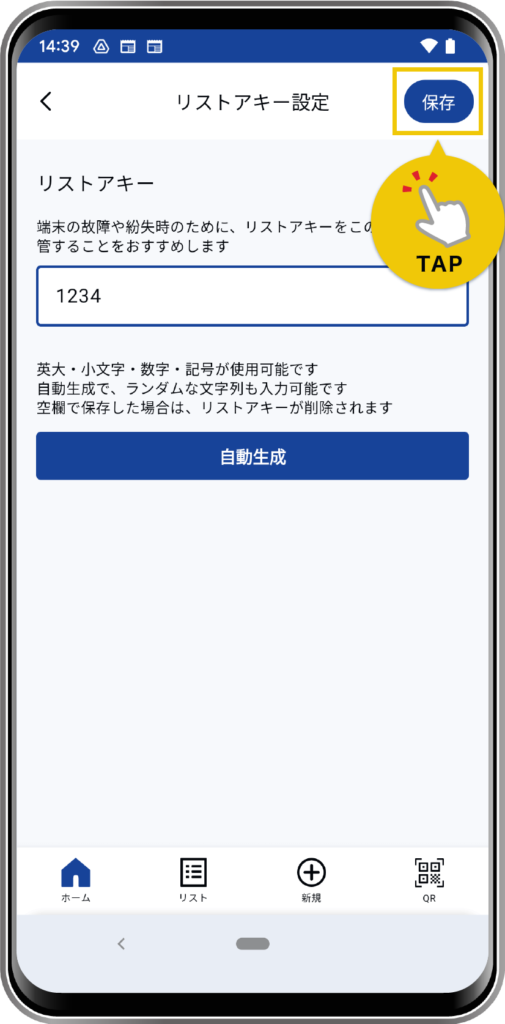
Follow the on-screen instructions to register the restore key.
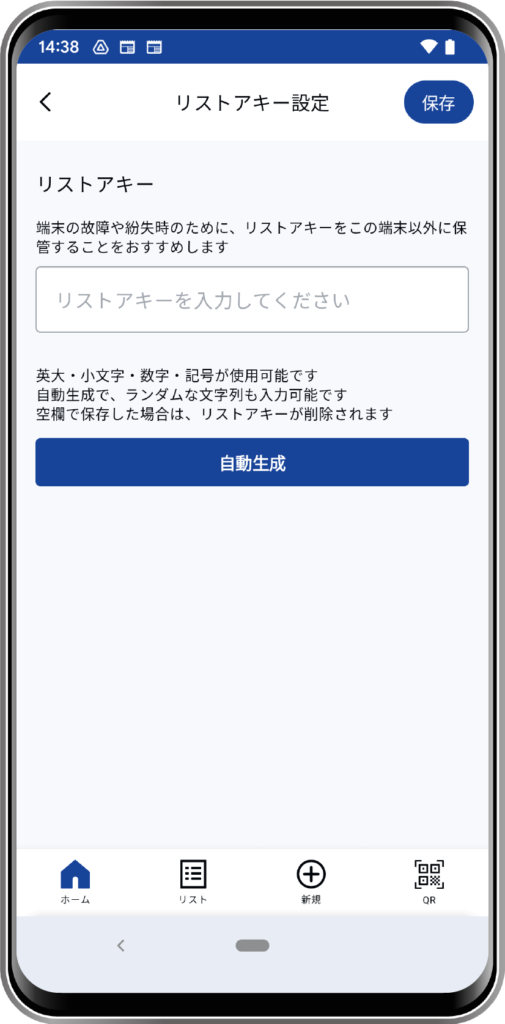
- Tap the “Auto-generate” button.
- A random string of characters is generated and then saved.
- If you decide for yourself
- Please enter any string of text in the input field.
- If you are already registered
- The registered string will be displayed in the input field.
STEP
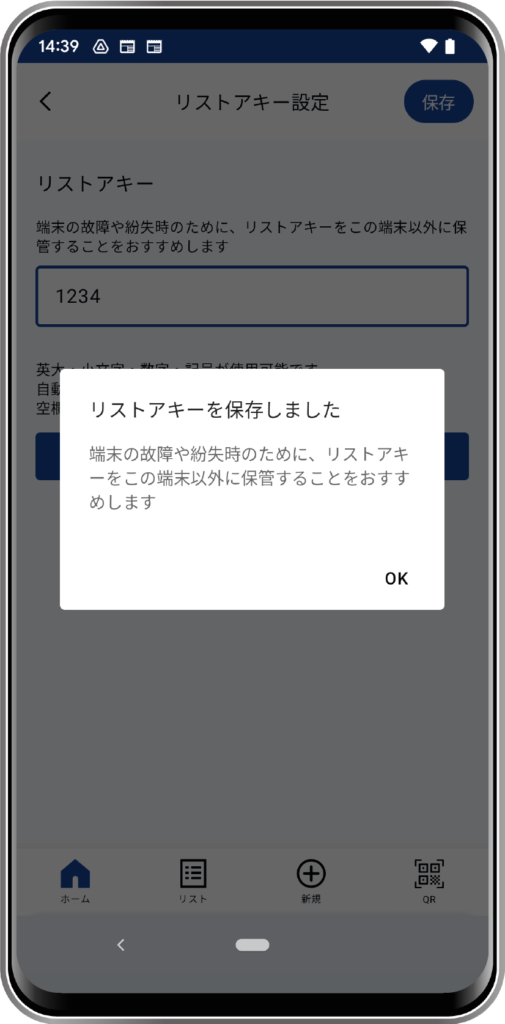
Tap the “Save” button to finish.