It’s recommended to bookmark the slots and passwords for services you frequently use so you can easily find them.
Register your favorite services
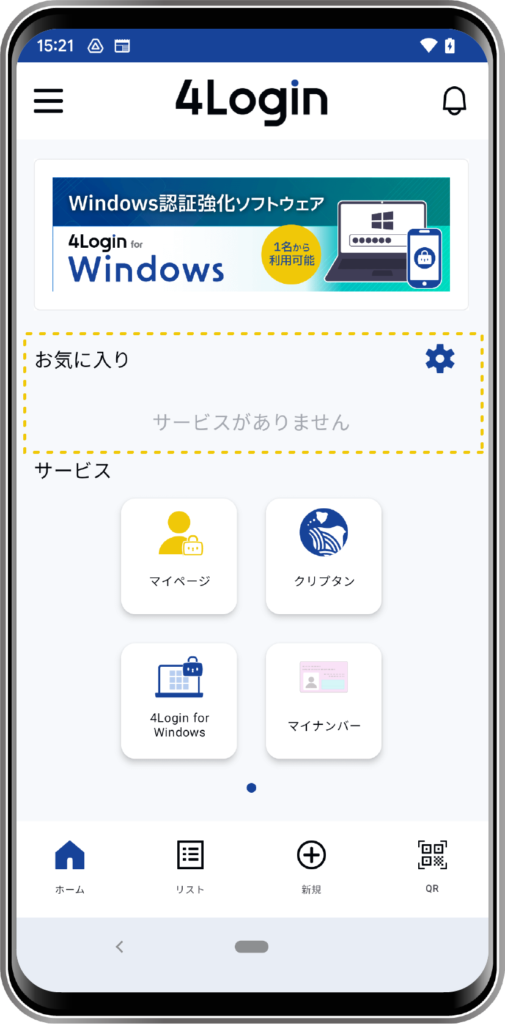
You can easily find each service on the home screen by moving them to the favorites area.
STEP
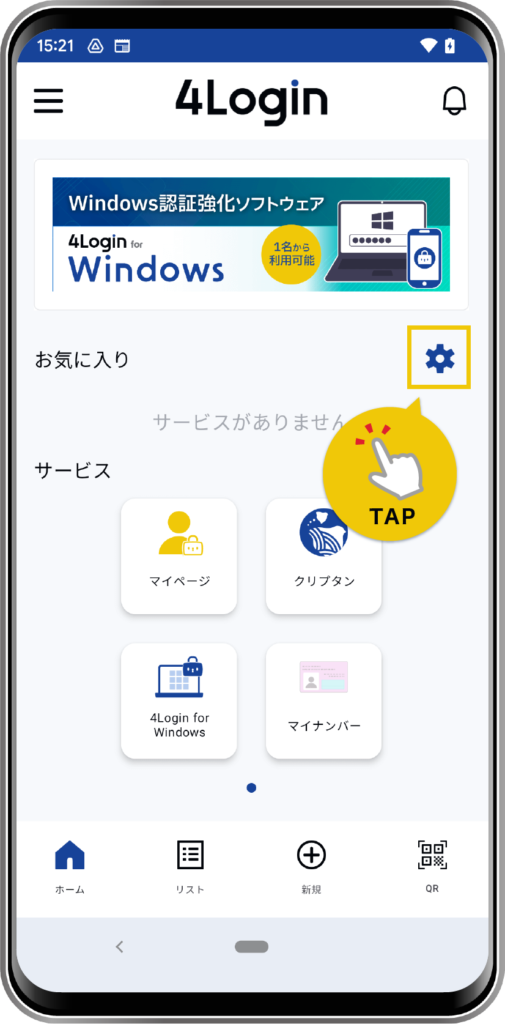
Tap the gear icon next to “Favorites” on the home screen.
STEP
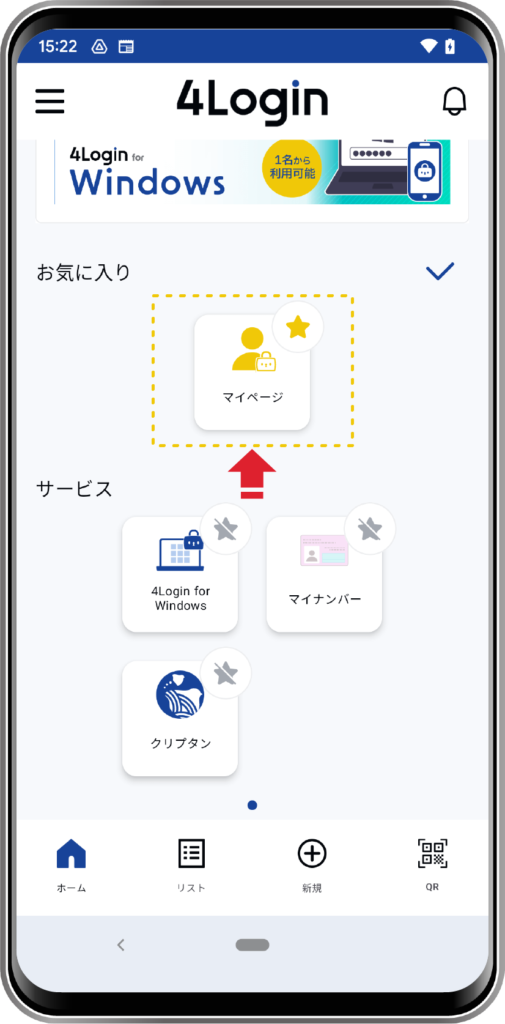
To move a service to your favorites, tap the “star icon” next to the service.
To remove an item from your favorites, tap the “star icon” to unfavorite it.
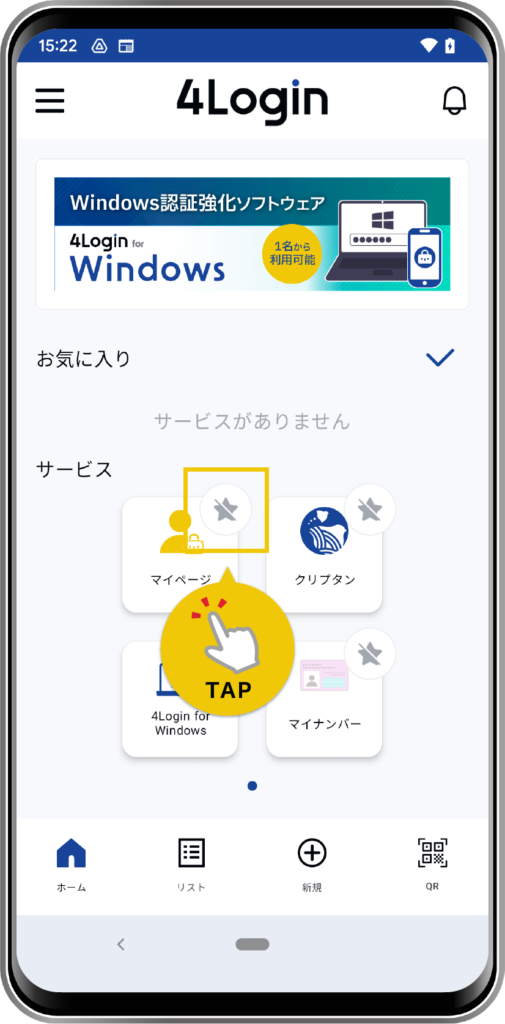
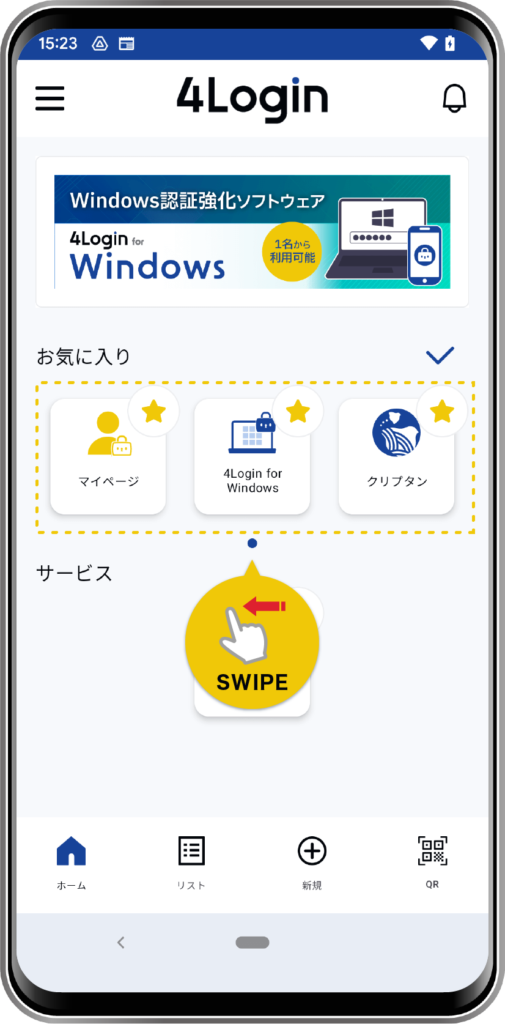
If you have three or more favorites, they will be displayed in a slideshow.
STEP
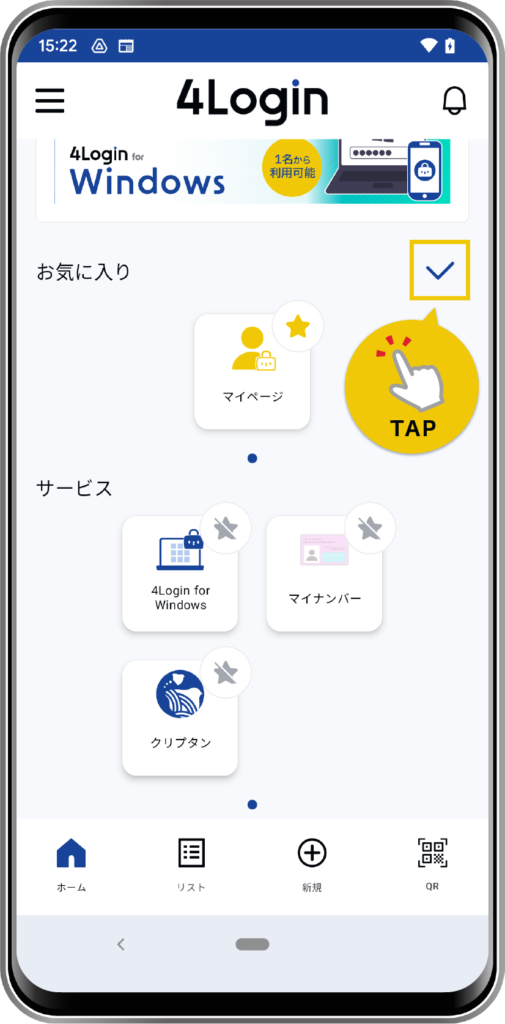
Tap the checkmark to save.
Register your favorite slot (password)
Each slot (password) in the list can be added to your favorites, separate from groups, making them easier to find.
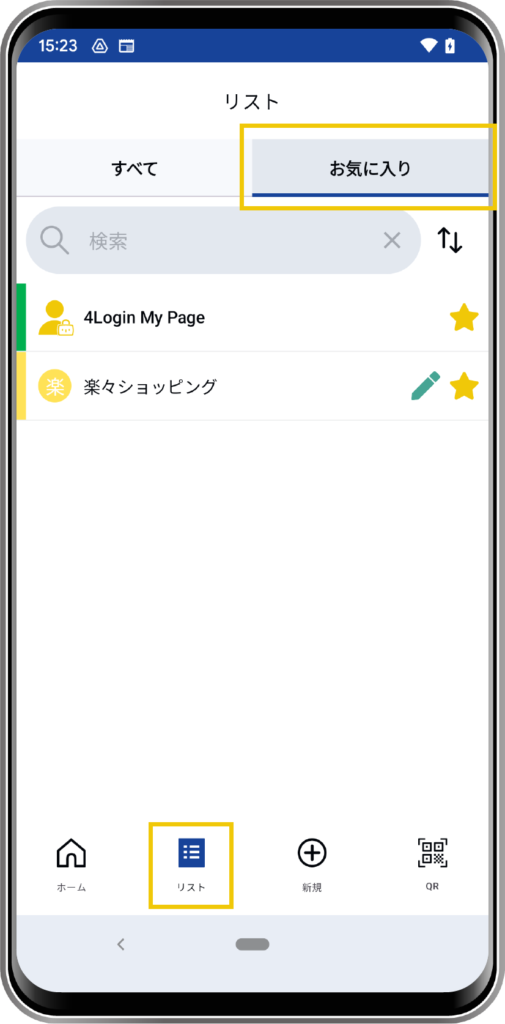
Slots that you have added to your favorites will be displayed in the “Favorites” tab of the list view.
STEP
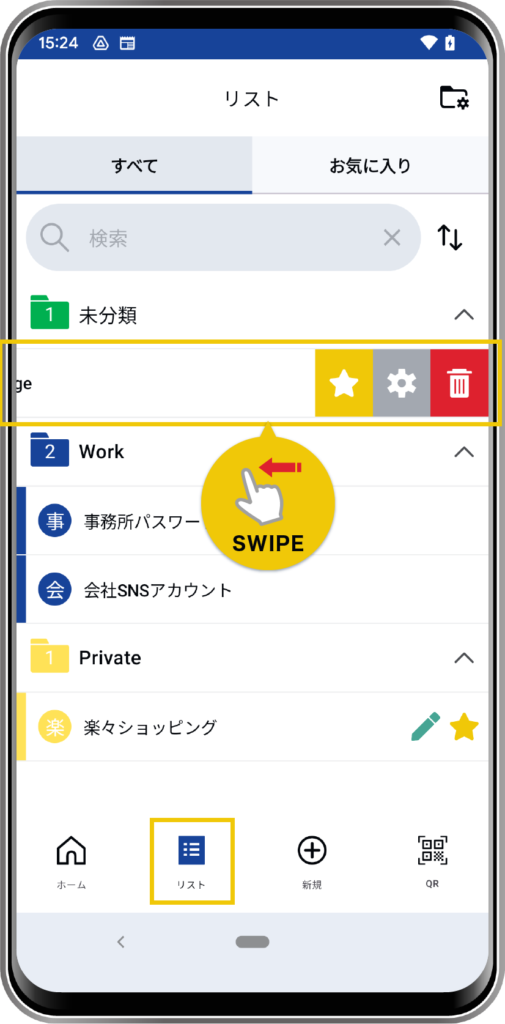
Swipe left on the item in the list.
STEP
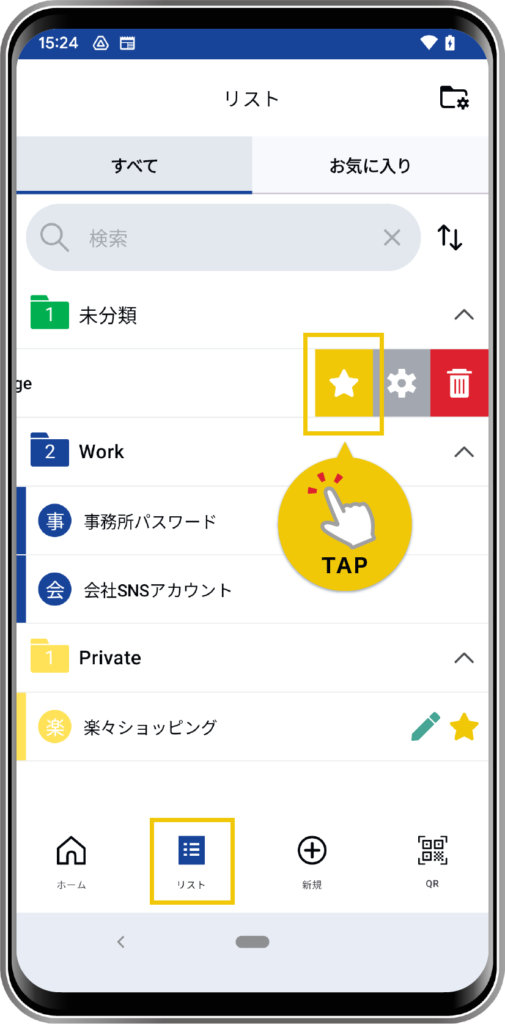
Tap the “star icon” to add it to your favorites.
OR
STEP
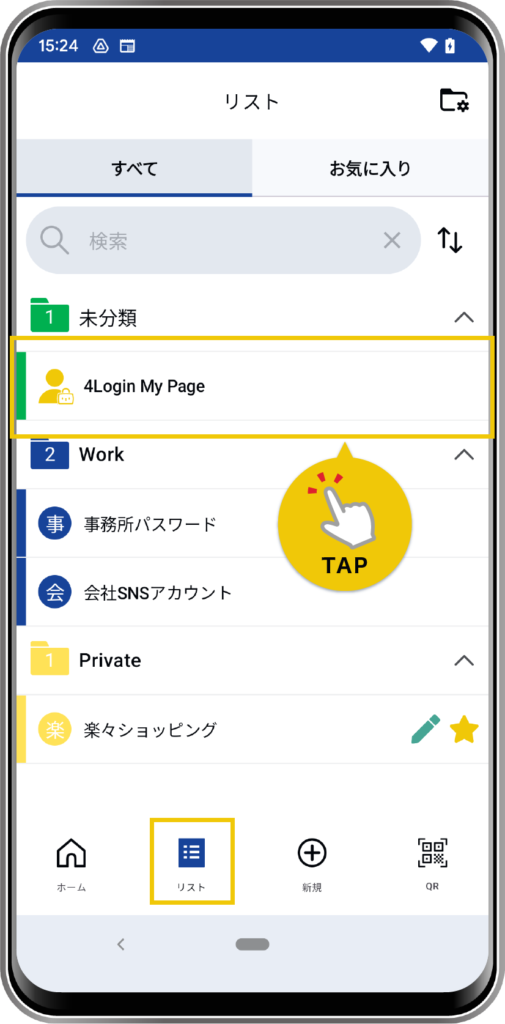
Tap the item you want from the list.
STEP
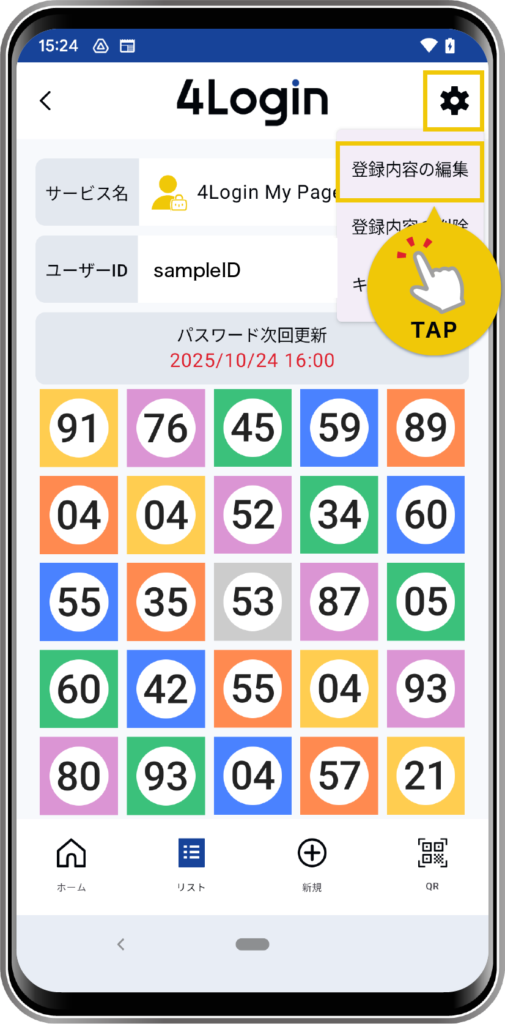
From the details screen, tap the “gear icon” in the upper right corner → “Edit registration details”.
*The pattern will be checked.
STEP
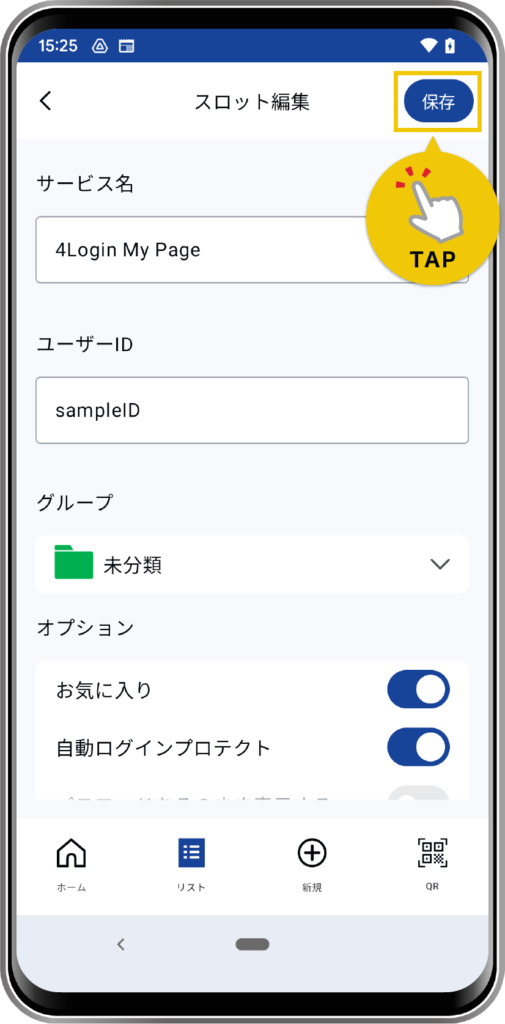
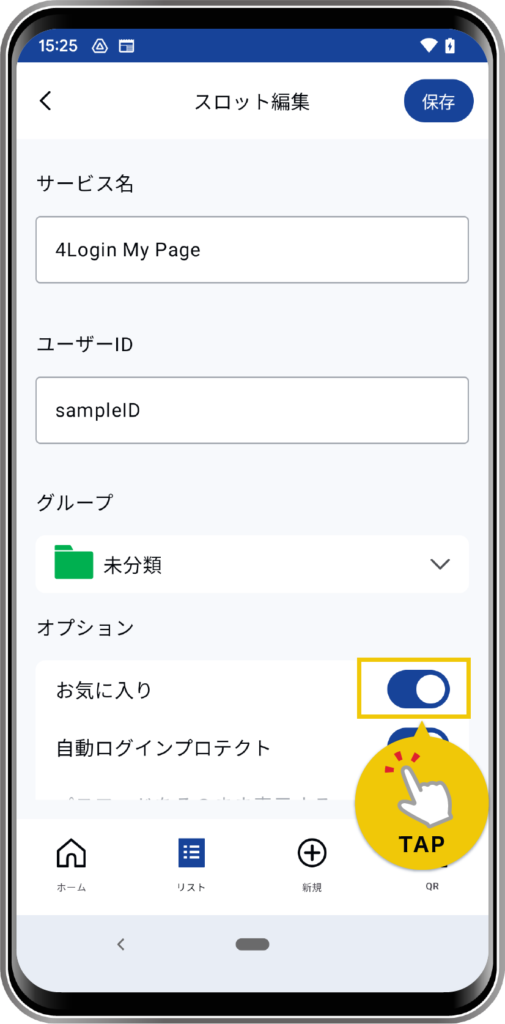
From the slot editing screen, turn on the “Favorites” option.
STEP
Tap “Save” in the upper right corner to complete the registration.