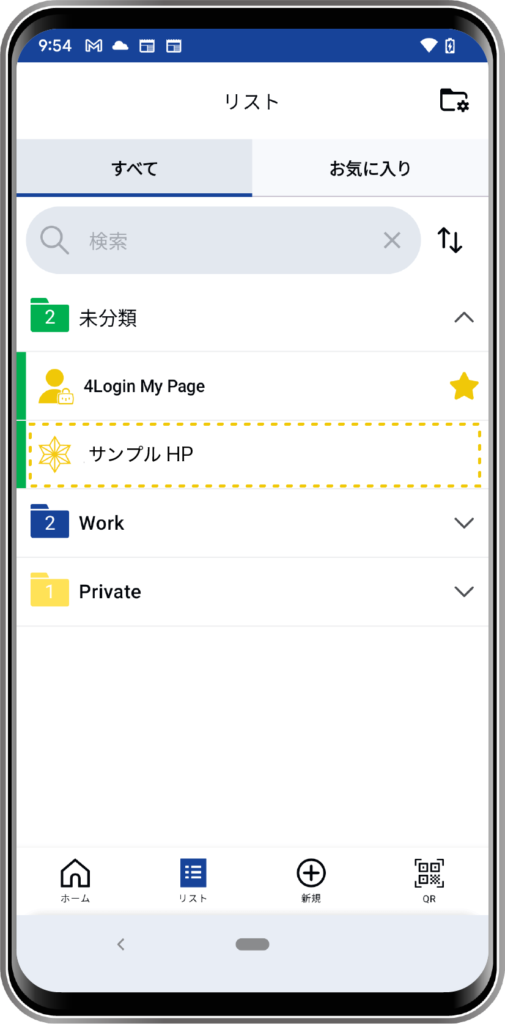
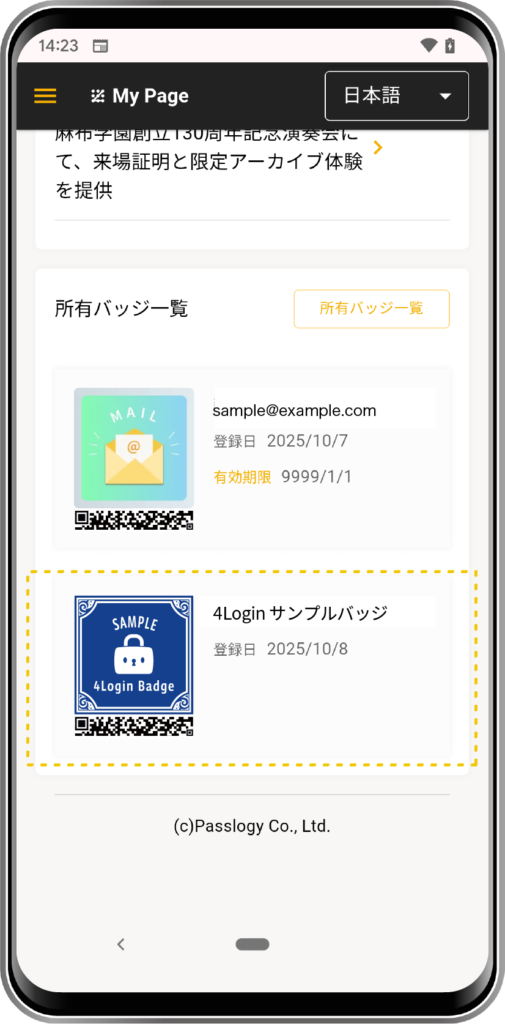
How to get a Smart Badge
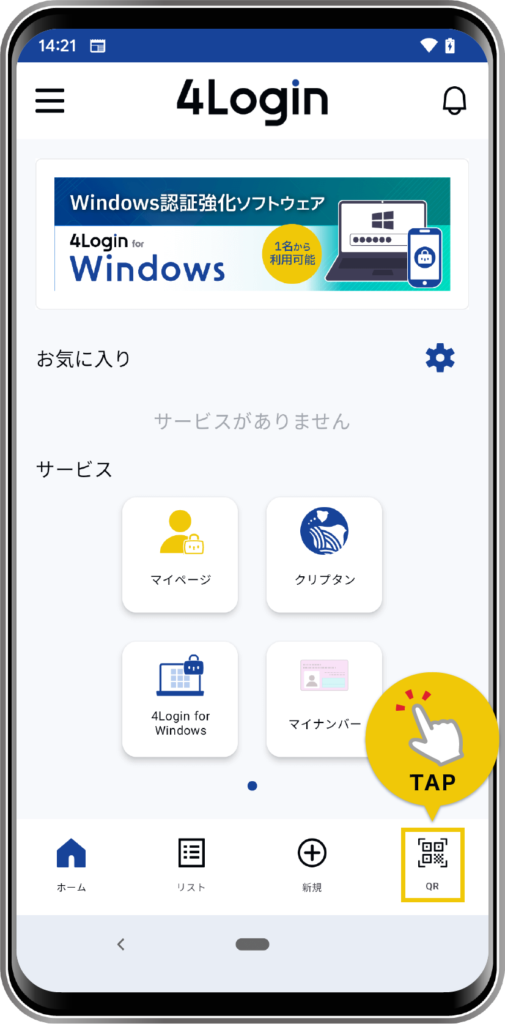
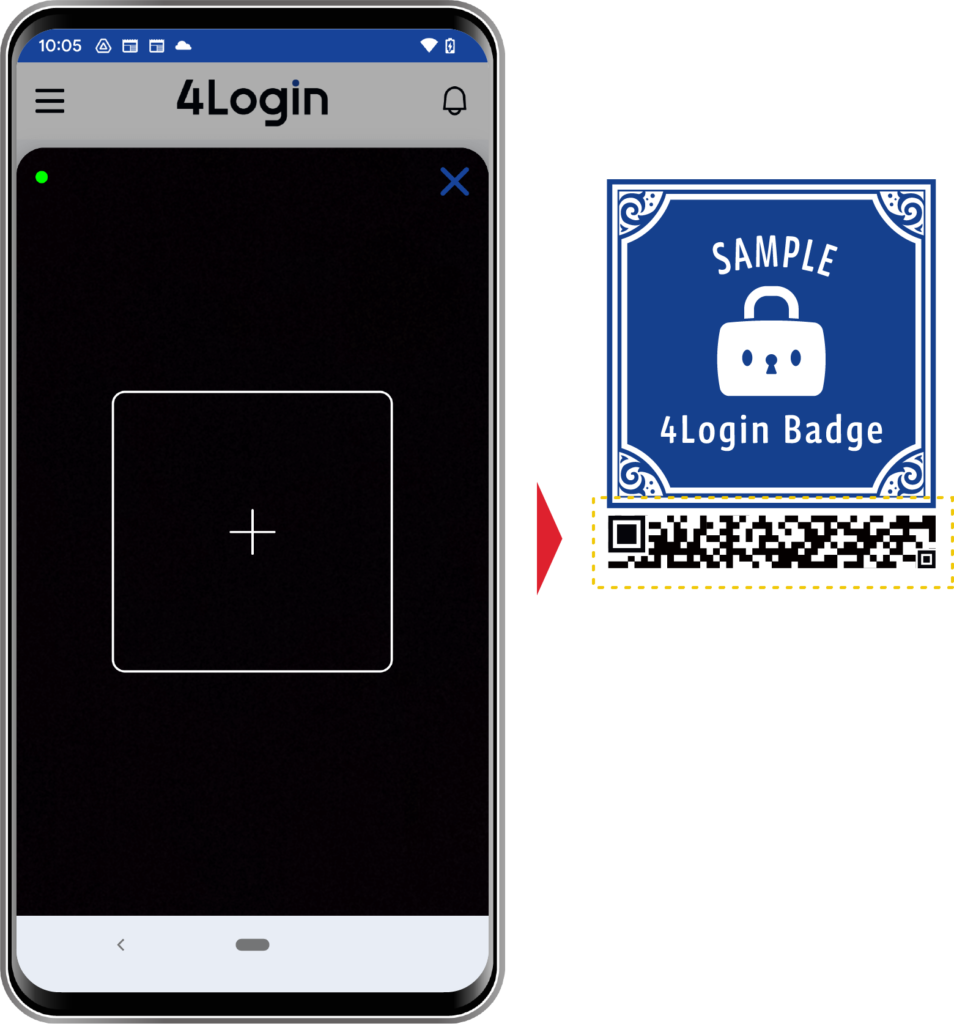
*Please place the rMQR code part attached to the bottom of the image inside the scanning frame.
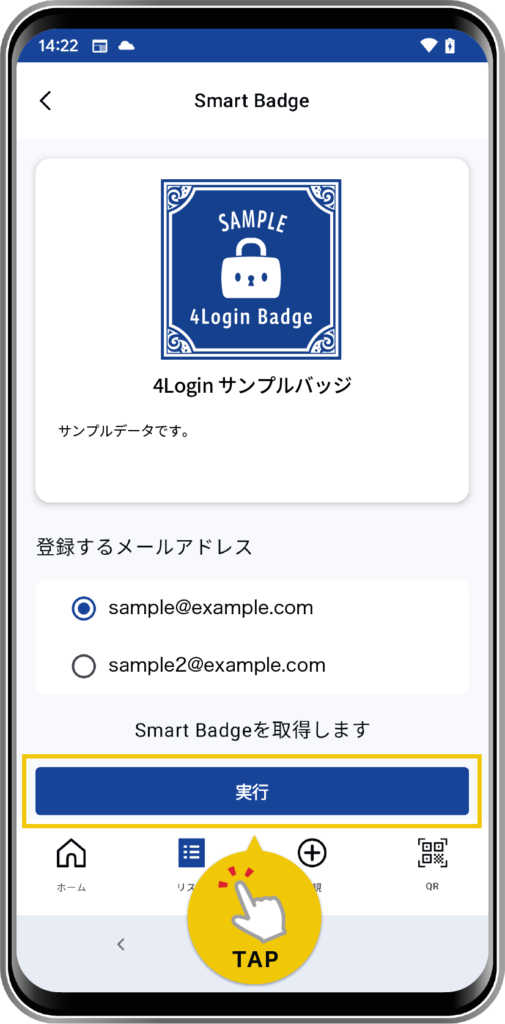
The Smart Badge will be issued to the “Email address to register”.
How to perform a Slot Login using a Smart Badge
Depending on the type (settings) of the Smart Badge you acquire, you can log in to the corresponding service as it is. *Pattern confirmation required.
To log in, you need to create a slot, so please follow the on-screen instructions to proceed with creating a slot.
*Please place the rMQR code part attached to the bottom of the image inside the scanning frame.
The Smart Badge will be issued to the “Email address to register”.
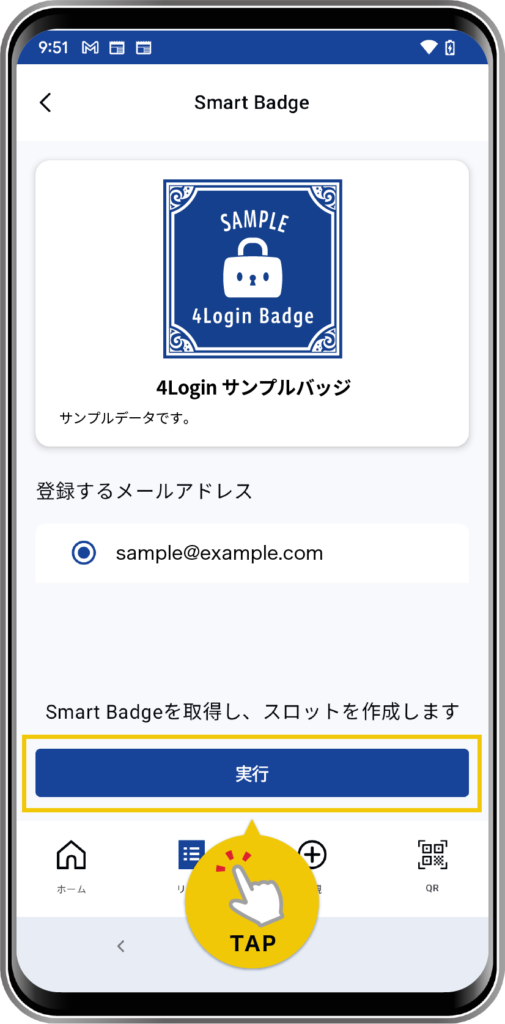
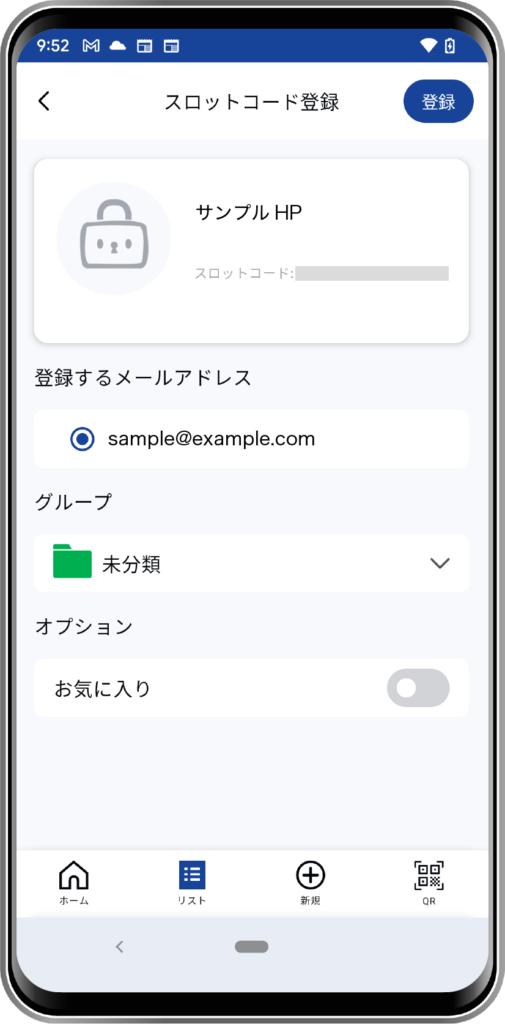
*The “Email address to register” selected when acquiring the Smart Badge cannot be changed.
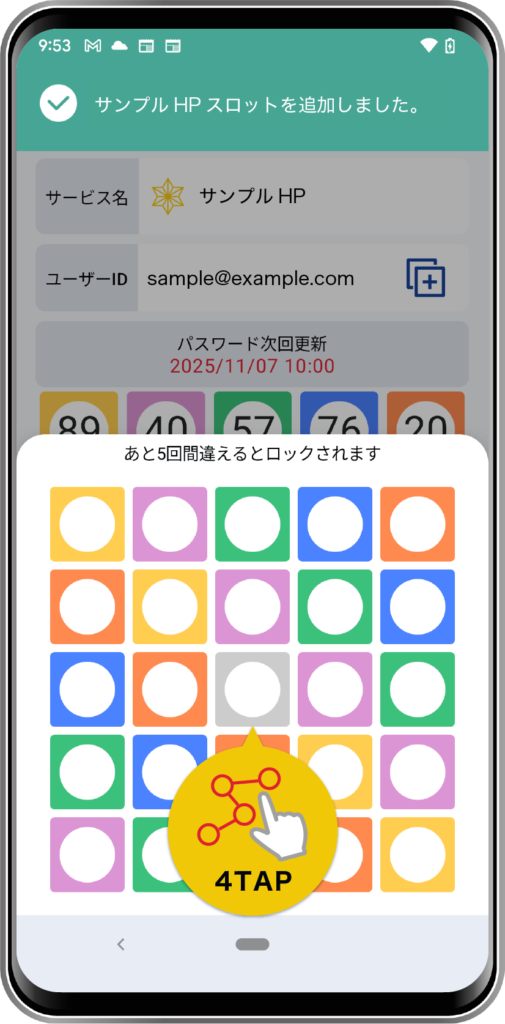
The created slot will be added to the list in the 4Login app.
If you want to log in in the future, you can perform a Slot Login from here.